
Wonder Town › Guides › How-to guides
Passport stamps: one for every town you save
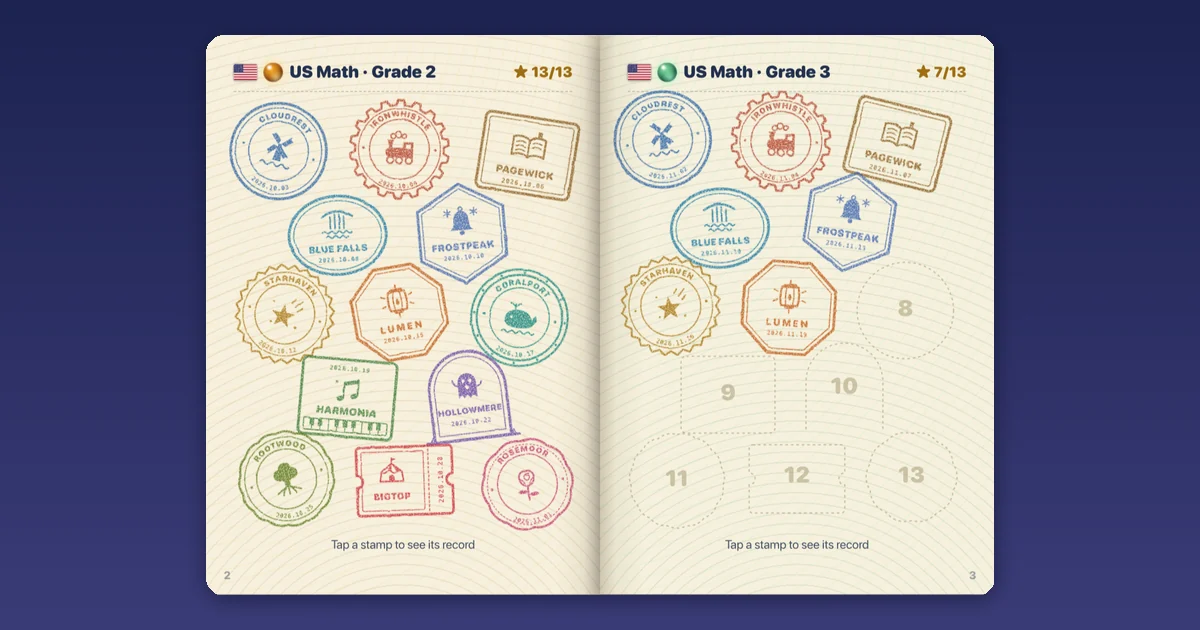
The Passport button at the top of the character and town screens opens your Passport: a little book whose pages you can turn. Every time you save a town, its stamp goes on the page of the question bank you were playing, with the town's name and the date it was first saved. Children can fill a page with all 13 stamps; parents can flip through it and see how far their child has got with each bank.
Opening your Passport
The button is at the top right, to the left of your coins. With a Passport it says Passport; without one it says Get a Passport. Either way, it opens the book.

The book appears closed, then turns by itself to the page of the question bank loaded now. Right after you save a new town, it turns to that town's bank instead.
The Passport belongs to an account, so it needs one. A guest trying the game without signing up has no Passport; once you sign up, every town you save is stamped.
Turning the pages
- Drag or swipe a page over, like a real book.
- Tap a page: the right side turns forward, the left side back.
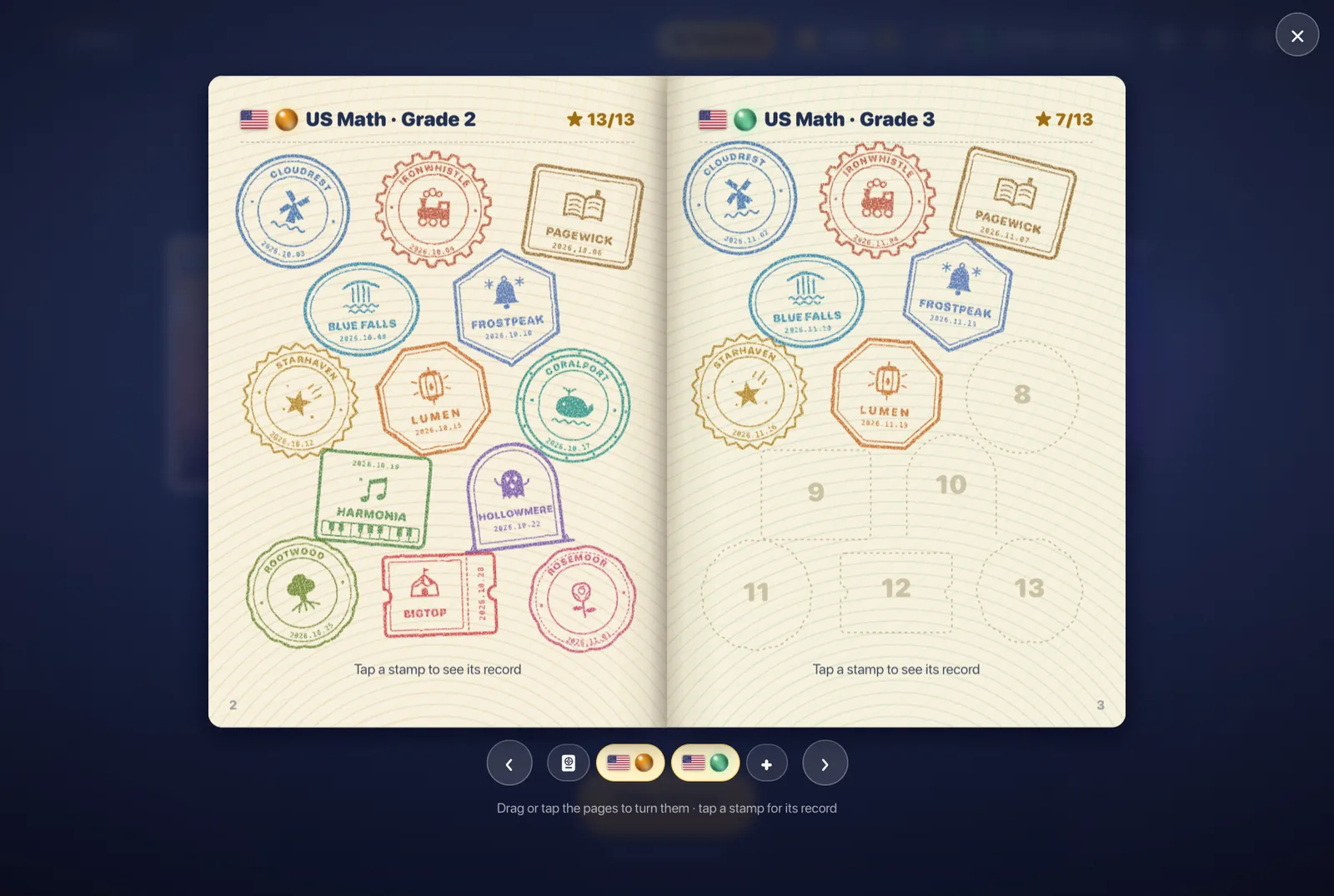
- The buttons under the book: arrows on either side; in the middle a tab for every page. The first is the holder's page, then one per question bank (its flag and crystal), and + for "A new page" at the end.
- The keyboard: ← and → turn the pages (so do Page Up and Page Down), Home goes back to the cover, End to the last page, and Esc closes the book.
Computers and tablets held sideways show two pages side by side; phones show one page at a time.
The holder's page
The first page after the cover looks like the photo page of a real passport.
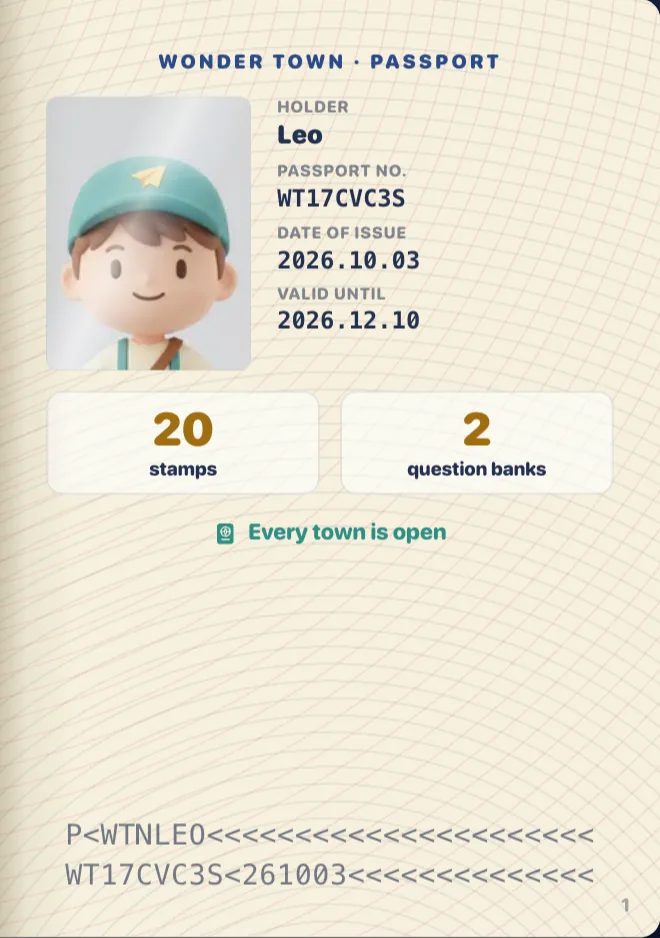
- Photo and holder: the character you have picked.
- Passport No.: a number that stays the same for your account.
- Date of issue: the day the account was made.
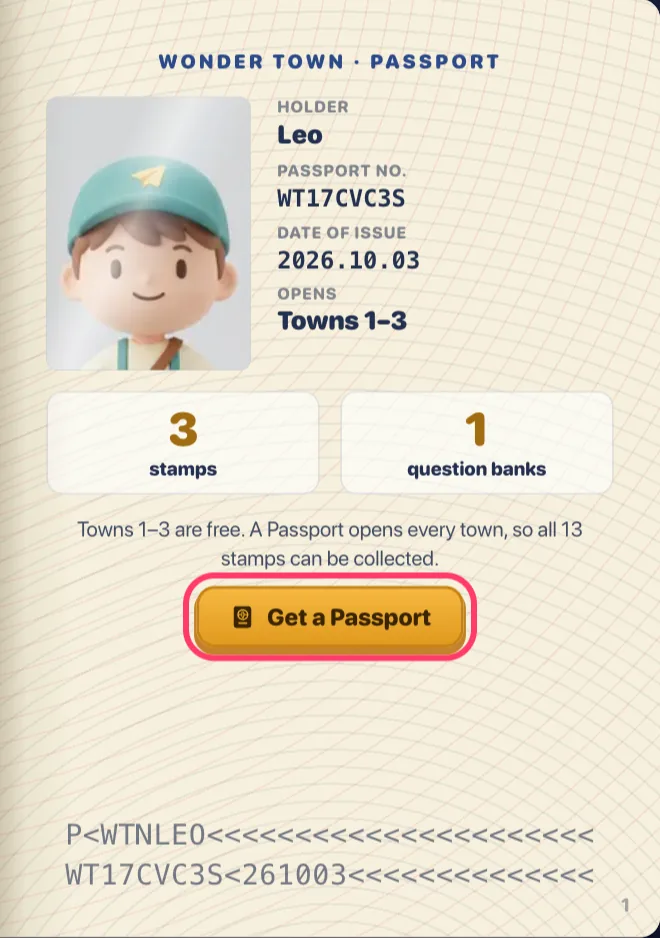
- Valid until: the day your Passport renews or ends. Without a Passport this line reads Opens: Towns 1–3.
- Stamps and question banks: how many stamps you have in all, and how many banks have a page.
The two lines of letters and < at the bottom imitate a real passport's machine-readable zone; they are only decoration.
A page for every question bank
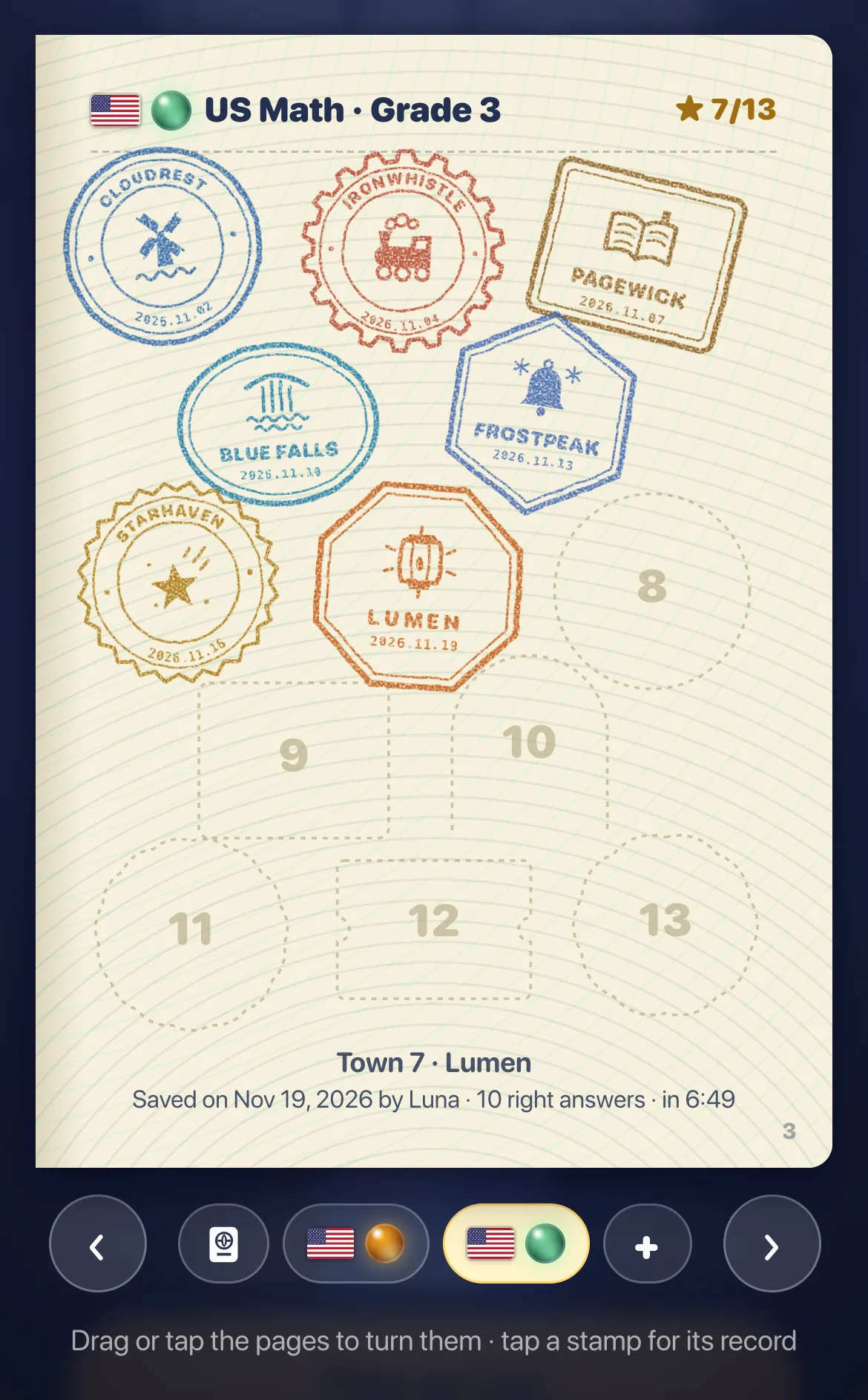
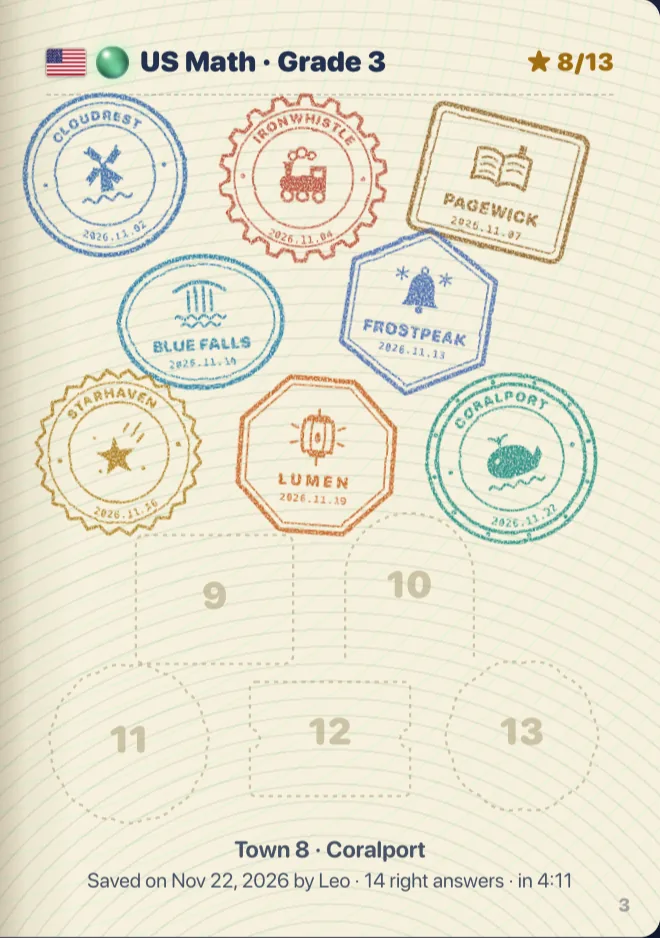
After the holder's page, every question bank you have played gets a page of its own. At the top are the bank's flag, crystal and name; the ★ 7/13 on the right is how many of its towns you have saved.
The 13 places are laid out in rows of 3, 2, 3, 2 and 3. A saved town has its stamp there; a town not saved yet shows a dotted outline with its number.
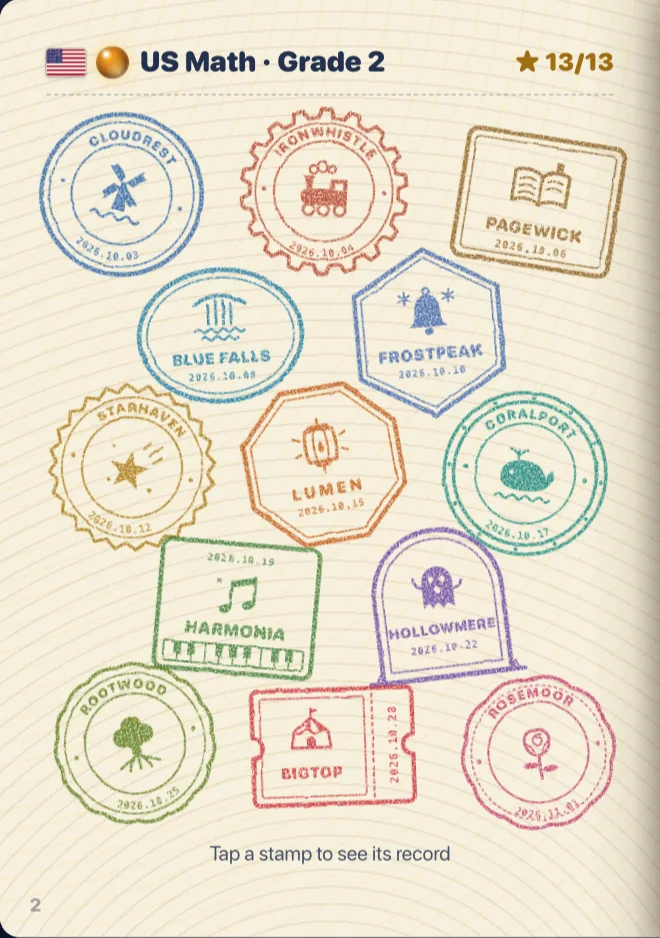
Every town has its own stamp, its shape, picture and ink taken from the town's story:
| Town | Name | Picture | Shape and ink |
|---|---|---|---|
| 1 | Cloudrest | a windmill above the sea of clouds | blue ring |
| 2 | Ironwhistle | a steam engine | red cog |
| 3 | Pagewick | a book with a ribbon | brown rectangle |
| 4 | Blue Falls | waterfalls under a bridge | sky-blue oval |
| 5 | Frostpeak | a snow bell and snowflakes | blue hexagon |
| 6 | Starhaven | a star among meteors | gold starburst |
| 7 | Lumen | a glowing lantern | orange octagon |
| 8 | Coralport | a whale blowing | teal porthole |
| 9 | Harmonia | two musical notes | green piano-key frame |
| 10 | Hollowmere | a friendly ghost waving | purple arch |
| 11 | Rootwood | a great tree hanging from its roots | olive scalloped seal |
| 12 | Bigtop | the circus big top | red ticket |
| 13 | Rosemoor | a rose | rose-pink petal edge |
Without a Passport
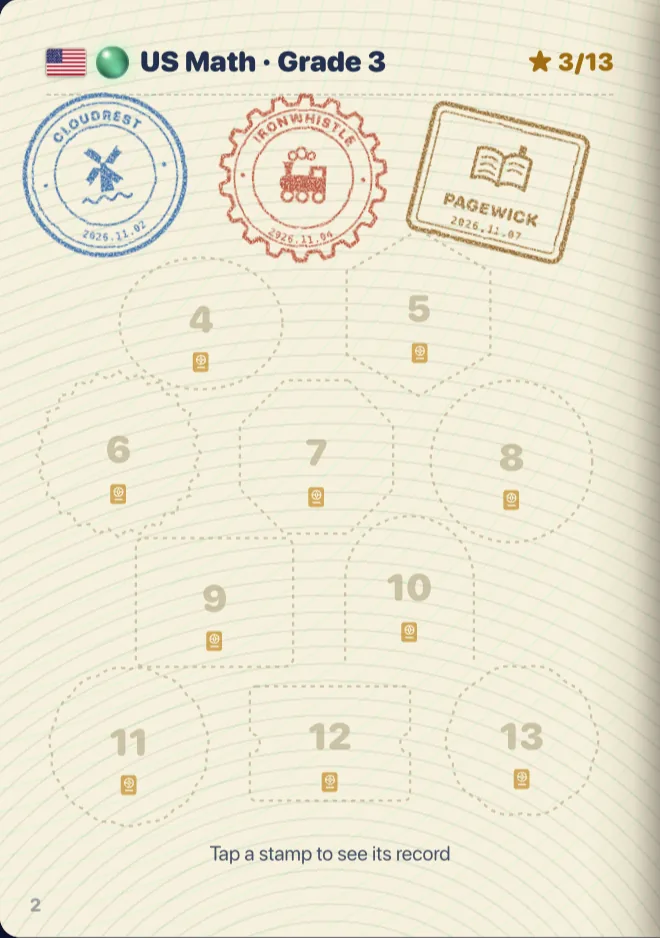
A free account plays the first 3 towns and can collect their 3 stamps. The places for towns 4 to 13 carry the Passport mark.
The holder's page has a Get a Passport button. Once you have one, the book updates at once: every town opens and all 13 stamps can be collected. For the price and ways to pay, see the Wonder Town Passport, coins and your profile.
Tap a stamp to see its record
Tap a stamp and the line under the page shows its record: the town's number and name, the day it was saved and by which character, how many right answers and how long it took. A town saved more than once also says how many times.
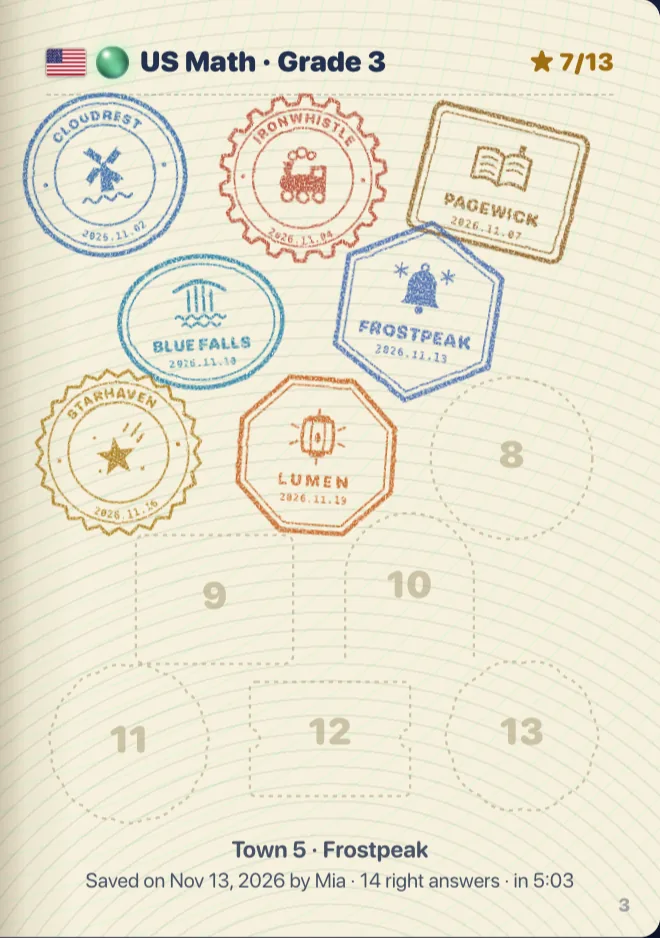
- The date on a stamp is the day the town was first saved. The right answers and the time are from that first time too; saving it again only adds to the count.
- A place not saved yet says "Not saved yet"; on a free account, the places from town 4 on say "Passport town".
Save a town, get a stamp
When a town is saved, its stamp comes down on the result box with a thump, dated today. Under it, Stamped in your Passport › opens the book. For a town saved before, the link reads See it in your Passport ›.
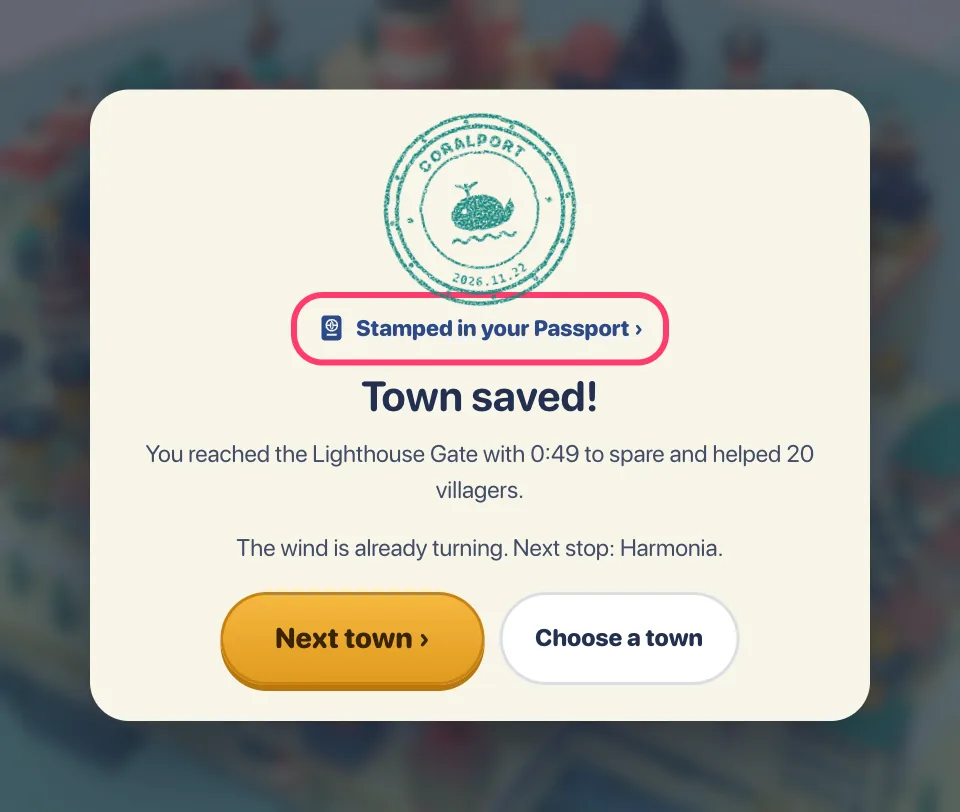
A town saved for the first time is stamped again the next time you open the Passport: the book turns to its page, the stamp lands while you watch, and its record shows below.
A new question bank, a new page
Every question bank keeps its own progress. Load another bank and you start at its first town, and the Passport gets a new page with 13 more stamps to collect.
- The last page of the book is A new page; its Question banks button opens the question banks page. See how to choose and change your question bank.
- Question banks you made from photos of tests get pages too, after the built-in ones.
- The book only has pages for banks you have saved a town with, and for the bank loaded now.
- If a parent has set a grade in the parental controls, only that grade's banks (from any country) and your own banks can be loaded.
Another device, or a cleared browser
- Which towns are stamped goes with your account. Sign in on another computer, tablet or phone and the stamps are all there.
- Each stamp's record is kept only in this device's browser: the date, the character, the right answers, the time and the count. On another device the stamp says "SAVED" in place of a date, and tapping it says the day is not recorded there. Save that town again on this device and that saving is recorded ("Saved again on …").
- Towns saved before the Passport book arrived (22 November 2026) also say "SAVED".
- If your Passport ends, the stamps you have stay in the book; get a Passport again and carry on collecting.
For parents
- The ★ count at the top of each page is how far your child has got with that question bank.
- Tap a stamp to see the day a town was saved, and how many right answers and how much time it took the first time.
- The totals on the holder's page, stamps and question banks, are your child's progress across Wonder Town.
No account yet? Try the first town free; once you sign up, your Passport is ready.
More guides
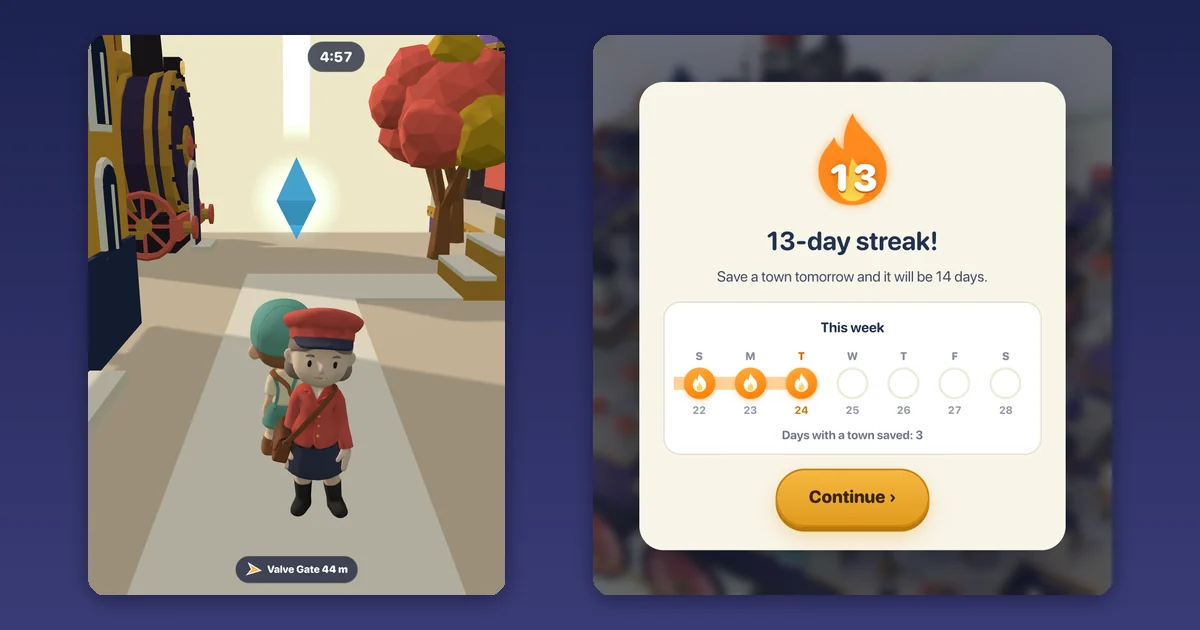 How-to guidesDaily streak and freeze gems: save a town every daySave any town in Wonder Town on a day and that day counts for your daily streak. Where to see the streak and the week, how freeze gems keep it through a missed day, and where the gems hide.November 24, 2026 · 6 min read
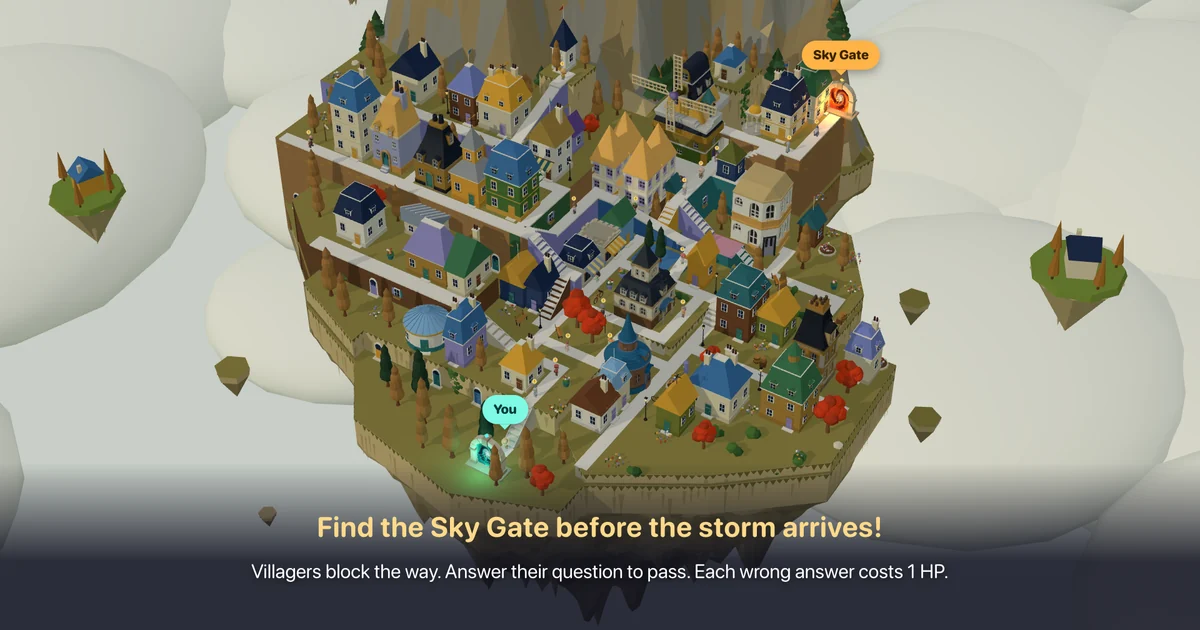 How-to guidesGetting started with Wonder Town: from the free trial to your first saved townNo download and no sign-up needed to start. A step-by-step walk through choosing a question bank, opening a card pack, answering the villagers and reaching the Sky Gate, with screenshots of every step.November 21, 2026 · 4 min read
 How-to guidesMake a 3D character from one photoUpload a photo of your child, a pet or a toy, and a few minutes later there is a 3D character that walks, runs and jumps, with a card of its own. A complete walk-through with one example photo.November 21, 2026 · 3 min read